Mechanical keyboard switch types explained
If you’ve ever stared at a page selling mechanical keyboards, you’ve been bombarded with terms like Cherry MX, Blue switches, and linear vs. tactile. It’s a classic case of too much information without enough context. You know there are different types of switches, but what that actually means for your typing or gaming experience remains a fog of jargon. Let’s clear that fog.
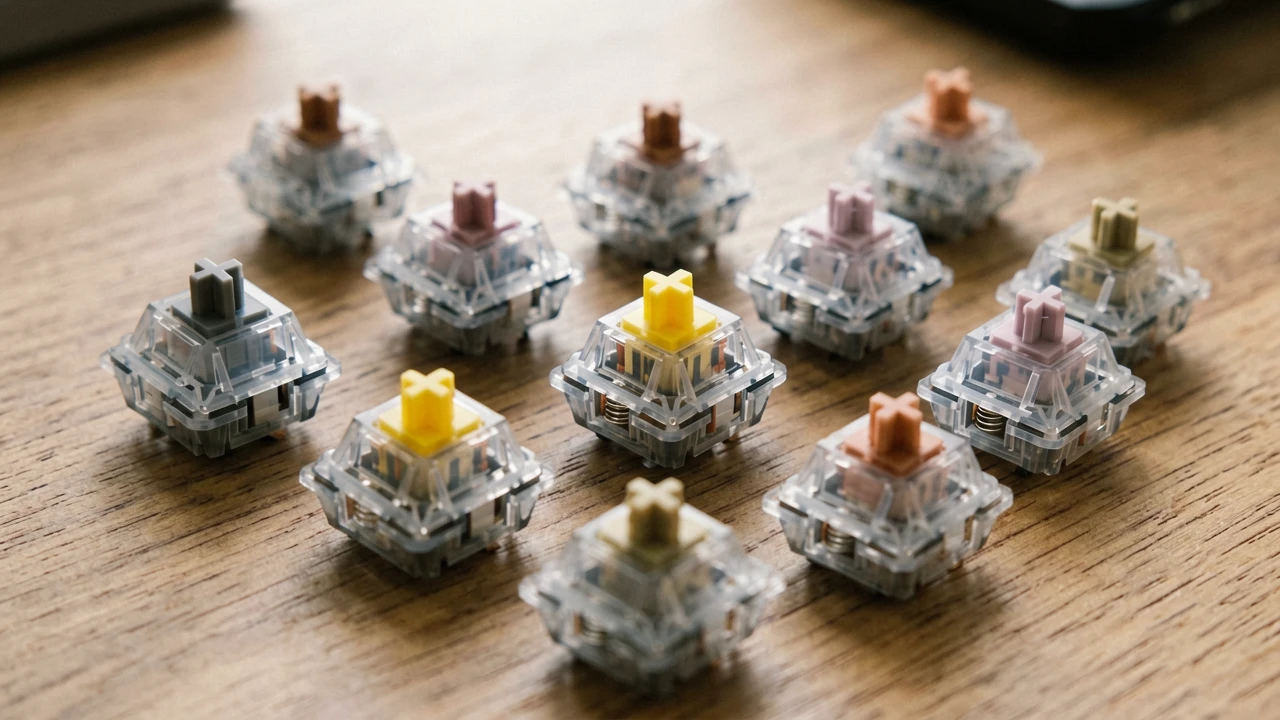
The Three Pillars: Linear, Tactile, and Clicky
Every mechanical keyboard switch on the planet, regardless of the brand or price, fits into one of these three categories. The difference comes down to how the switch feels and sounds when you press it.
Linear switches are the simplest. A straight, smooth push all the way down with no tactile bump or audible click. Think of it as typing on a very smooth, consistent surface. The force required is nearly constant from top to bottom. This lack of feedback is actually a feature for fast-paced gamers who need rapid, repeated presses without the distraction of a bump.
Tactile switches introduce a physical bump halfway through the press. You feel a distinct point where the resistance increases briefly, signaling that the keystroke has been registered. This gives you that satisfying “confirmation” without making noise. It’s a middle ground for those who want feedback but also crave a quieter experience.
Clicky switches combine the tactile bump with an audible click. When you hit that bump, a separate mechanism inside the switch creates a distinct “click” sound. This is the iconic, noisy mechanical keyboard sound many people associate with the hobby. The feedback is both tactile and auditory, offering the strongest confirmation possible.
Why You Might Care About the Nitty-Gritty
Beyond these three types, the real magic lies in the precise specifications. Two different linear switches can feel worlds apart. Key factors include:
Actuation Force – how hard you need to press to register a keypress. A light switch (e.g., 45g) is fast and easy to press, but you might accidentally press keys when you’re resting your fingers. A heavy switch (e.g., 80g) requires deliberate force, reducing accidental presses but potentially causing finger fatigue over long sessions.
Travel Distance – how far the key moves from the top to the bottom. Short travel distance is great for speed, but can feel shallow. Standard travel distance gives a more deliberate, satisfying feel.
Pre-travel vs. Total Travel – the distance before the switch actuates versus how far it can go before bottoming out. Switches with early actuation (shorter pre-travel) are prized for gaming because you don’t need to press the key all the way down.
The Kingdom of Cherry, Gateron, and Kailh
While Cherry MX was the gold standard for decades, the market has exploded. Gateron switches are renowned for being smoother out of the box than Cherry equivalents. They often have a slightly lighter, more buttery feel. Kailh, on the other hand, is famous for its click bar design, which gives an incredibly crisp and satisfying click sound that is louder and more distinct than Cherry’s click jacket. For tactile feel, Kailh Box switches offer a pronounced, almost sharp bump that some find more intentional than Cherry’s rounder, softer tactile bump.
What the Pros Actually Use (and Why)
You often see esports players using super-light linear switches with short travel. The reasoning? They want to move as fast as possible with zero extra resistance, and they often game at very high sensitivity. But this isn’t a universal rule. Many professional typists prefer tactile switches for the feedback, while others swear by heavy linears for the consistency and control.
The bottom line: There is no single “best” switch. It’s about matching the switch’s characteristics to what your fingers and brain want. If you’re a fast-paced gamer, look for a light linear or a very responsive tactile. If you type all day, a medium tactile will likely keep your fingers happy without driving coworkers insane. And if you’re just looking for that classic mechanical noise, well, you already know what you’re after.
Join Discussion
线性确实爽,打游戏反应快多了
茶轴到底算段落还是线性?一直没搞明白🤔
我之前搞过蓝轴,室友差点杀了我😂现在换红轴了
说了半天还是没推荐适合新手的,迷茫
路过,机械键盘好贵啊,一个键就几块钱?
写的挺清楚的,对我这种小白挺友好
有人用过Kailh Box白轴吗?手感咋样?
那如果主要写代码,推荐哪种?茶轴还是红轴?
感觉还缺个静音轴介绍,有些线性静音也很棒
线性轴根本没用!段落轴才是灵魂!
哪里能试手感啊?网上参数看不懂
又是Cherry MX,现在国产轴早比它好了
Kailh click bar确实比Cherry清脆,亲自对比过👍